Language learners
Listen to a short dialogue, type a first attempt, then check unfamiliar words against a generated transcript.
You can separate listening gaps from spelling or typing errors and revisit the exact sentence that caused trouble.
Listening workflow
Use audio to text as a practical bridge between listening and typing. Work from spoken material, compare what you heard with the transcript, and improve accuracy one passage at a time.
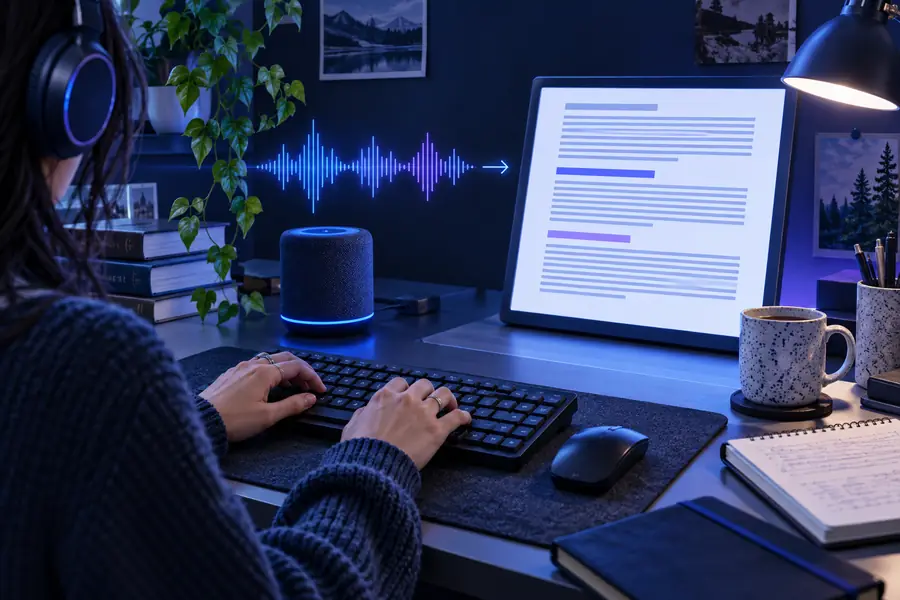
Most learners already have a repeatable loop: choose audio, listen carefully, type what they hear, then review mistakes. Audio to text fits into that loop as a reference layer rather than replacing the work.
Listen to a short dialogue, type a first attempt, then check unfamiliar words against a generated transcript.
You can separate listening gaps from spelling or typing errors and revisit the exact sentence that caused trouble.
Play a clear recording at a controlled pace and type along without looking at a prepared script.
You get a practical accuracy check while building comfort with punctuation, spacing, and sustained typing.
Record a lecture excerpt or study explanation, type the main passage, and compare your notes with the transcript.
You can identify missed terms and turn passive listening into a structured review exercise.
Use a short consented recording for deliberate practice with names, questions, and natural pauses in speech.
You learn to handle realistic conversation instead of practicing only with perfectly scripted sentences.
The useful sequence is simple: attempt the passage yourself, use audio to text for comparison, then correct the details that slowed you down.
Start with a clear clip that has one speaker and a manageable length. Repeated listening is more useful than rushing through a long recording.
Listen once for meaning, then type what you hear with the audio paused or replayed. Keep your first attempt so progress is visible.
Generate the transcript, mark omissions and misheard words, and replay only the difficult moments. Finish by typing the corrected version.
These related routes support different stages of the same learning loop, from a first guided exercise to a finished transcript.
Audio typing practice works best when the goal and the source are controlled. These limits keep the exercise honest and show when another step is needed.
A transcript can reveal missing words and incorrect phrasing, but it does not fully measure touch-typing form, finger placement, or posture.
What to do instead
Pair the exercise with a keyboard trainer or a timed passage when you need mechanical typing metrics.
Background noise, overlapping speakers, accents, low volume, and specialist vocabulary can produce errors in the reference text.
What to do instead
Use clean clips, replay uncertain sections, and verify names or technical terms against the recording.
Reading a transcript first can make a passage feel easier than it really is, so the tool should not be the only step.
What to do instead
Type your own attempt before opening the reference transcript.
Audio to text supplies comparison material, but it does not choose the right difficulty, explain every grammar point, or adapt a full curriculum.
What to do instead
Set a small weekly goal and save corrected passages for later review.
Use the comparison below to decide what each stage contributes to an audio typing practice session.
| Before audio to text | After audio to text | |
|---|---|---|
| Primary input | A short spoken recording selected for the learner's level | The same recording paired with a generated text reference |
| Learner action | Listen, pause, replay, and type what seems audible | Compare the attempt, mark differences, and retype corrections |
| Main evidence | What the learner can capture without visual support | Which words, endings, names, or phrases were missed |
| Useful output | An unedited first-pass transcript | A corrected practice copy with difficult passages identified |
| Best feedback loop | Notice uncertainty while listening and typing | Replay only the sections that caused errors |
| Recommended use | Build effort, attention, and listening stamina | Check accuracy and plan the next focused exercise |
Start with one short recording and keep both versions: your first typed attempt and the corrected transcript. That simple archive makes audio typing practice easier to repeat, compare, and improve over time.
Answers for learners deciding how to use audio typing practice with an audio to text workflow.
Audio typing practice is an exercise where you listen to spoken material and type what you hear. An audio to text transcript can then act as a reference so you can compare your attempt and identify missed words.
Choose a short, clear recording with one speaker and listen for the overall meaning first. Type a second time with pauses, then compare your work with the transcript instead of trying to be perfect immediately.
Usually, no. Typing before viewing the reference gives you a more honest measure of listening and recall, while checking afterward shows exactly where the difficulty occurred.
It can support listening improvement by making small gaps visible, such as missed endings, connected speech, or unfamiliar terms. Progress depends on repeating the exercise and actively reviewing the sections you got wrong.
Clear recordings with one speaker are a good starting point, especially when the pace and vocabulary match your level. Later, you can add interviews, lectures, or conversational clips to practice with pauses, accents, and natural speech.